
TACHOGRAPH CALIBRATION DEVICE tachograaf voor TE-500 HANDHELD TACHOGRAPH SERVICE TOOL trekker


 Bornova/İzmir
Als u besluit een product tegen een lage prijs te kopen, zorg dan dat u communiceert met de echte verkoper. Ontdek zoveel mogelijk informatie over de eigenaar van het product. Een manier om vals te spelen is om jezelf te vertegenwoordigen als een echt bedrijf. In geval van verdenking, informeer ons hierover voor extra controle, via het feedbackformulier.
Voordat u besluit om een aankoop te doen, moet u zorgvuldig meerdere verkoopaanbiedingen bekijken om inzicht te krijgen in de gemiddelde kosten van uw gekozen product. Als de prijs van de aanbieding die u leuk vindt veel lager is dan vergelijkbare aanbiedingen, moet u dat tot nadenken zetten. Een aanzienlijk prijsverschil kan duiden op verborgen gebreken of een poging van de verkoper om frauduleuze handelingen te plegen.
Koop geen producten waarvan de prijs te veel afwijkt van de gemiddelde prijs voor vergelijkbare producten.
Geef geen toestemming voor dubieuze beloftes en vooruitbetaalde goederen. In geval van twijfel, wees niet bang om details te verduidelijken, vraag om extra foto's en documenten van het product, controleer de authenticiteit van de documenten, en stel vragen.
Dit is het meest voorkomende type van fraude. Oneerlijke verkopers kunnen een bepaald bedrag aan aanbetalingen vragen waarbij u het product "reserveert". Zo kunnen fraudeurs een groot bedrag verzamelen en dan verdwijnen, en u kunt niet langer in contact komen met hen.
- Overmaking van vooruitbetaling naar creditcard
- Maak geen aanbetaling zonder papierwerk dat het proces van het overmaken van het geld bevestigt, als u tijdens de communicatie aan de verkoper twijfelt.
- Overboeking naar een tussenpersoon ("Trustee" account)
- Een dergelijk verzoek zou alarmerend moeten zijn, hoogstwaarschijnlijk communiceert u met een fraudeur.
- Overboeking naar een bedrijfsaccount met een vergelijkbare naam
- Pas op, fraudeurs kunnen zichzelf vermommen als bekende bedrijven, waarbij ze kleine wijzigingen in de naam aanbrengen. Verricht geen geld als de bedrijfsnaam twijfelachtig is.
- Vervanging van eigen gegevens op de factuur van een bestaand bedrijf
- Controleer voordat u een overboeking uitvoert of de opgegeven gegevens juist zijn en of ze betrekking hebben op het opgegeven bedrijf.
Contactgegevens van de verkoper

 +90 553 589...
Toon
+90 553 589 10 99
+90 536 327...
Toon
+90 536 327 61 72
+90 553 776...
Toon
+90 553 776 03 13
+90 553 589...
Toon
+90 553 589 10 99
+90 536 327...
Toon
+90 536 327 61 72
+90 553 776...
Toon
+90 553 776 03 13


 Turkije
 Turkije, Bornova/İzmir


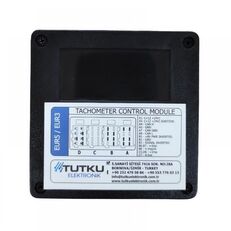 Turkije, Bornova/İzmir


 Turkije, Bornova/İzmir
 Turkije, Bornova/İzmir


 Turkije, Bornova/İzmir


 Turkije


 Litouwen, Vilnius


 Portugal


 Litouwen, Vilnius


 Litouwen, Kaunas


 Polen, Prochowice

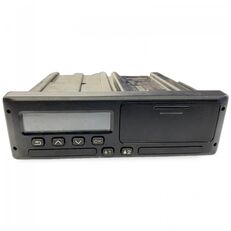

 Estland, Tallinn


 Estland, Tallinn


 Litouwen, Vilnius

 Litouwen, Vilnius


 Estland, Tallinn


 Estland, Tallinn


 Polen, Pabianice


 Estland, Tallinn


General Information
TE-500 Handheld Tachograph Service Tool — General Information
TE-500 is a handheld diagnostic and service terminal designed exclusively for K-Line communication at 10,400 bps.
It reads and writes tachograph parameters (DID/diagnostic data) and offers quick test routines directly from the device—no PC, CAN, or external UDS interface required.
What TE-500 Works With
MTCO 1324/1390 (analog tachographs)
VDO 1381 (digital tachographs)
Stoneridge SE5000 (digital tachographs)
EFAS V4 and higher (digital tachographs)
DTCOSim (tachograph simulator for Trucks, Bus, CityBus, Military Vehicle, for vehicles outside the scope of the law)
What You Can Do
Measure W: Acquire the W factor for calibration workflows.
Parameters (Read/Write): Access and adjust key tachograph data. Depending on the model, available items include:
K Factor, Odometer, Installation/Calibration Dates, Time & Date
O/P Shaft, Service Delay, CAN Priority/Repeat Rate/Baudrate (125-250-500 Kbps)
Binary/Product Codes, VIN, N-RPM Factor, Tyre (L/Tyre Size)
Model-specific “Specific / PAGE1–PAGE4” items on digital units (e.g., VDO 1381).
Tests: Run Speed Test and Odometer Test routines.
DTCs: Read and Erase diagnostic trouble codes where supported.
Sensor Pairing: Execute pairing procedures with the speed sensor (supported models).
Simple, Consistent Operation
TE-500 is menu-driven. Select a function, the device reads the current value over K-Line, and the screen shows the result. Four soft keys streamline daily work:
F1 – Refresh (re-read current value)
F2 – Edit / Save
Enter Edit Mode to change the value
F1 exits edit mode without saving
F2 saves (writes the new DID), then the device re-reads to confirm and displays the updated value
F3 / F4 are context keys used by specific menus (when applicable)
Device Menus (Highlights)
Main Menu
MTCO 1324/1390: Measure W, Parameters, Speed/Odometer Tests, Erase DTCs, Sensor Pairing
Digital VDO 1381: Measure W, Parameters (Calibration, Other, Specific Pages 1–4, Information), Speed/Odometer Tests, Read/Erase DTCs, Sensor Pairing
Digital SE5000 and EFAS (if present): Similar structure with Calibration/Other/Specific/Information
Device Setup: Licence, device settings, Wi-Fi SSID/password (where applicable), base licence
Language Setup: Türkçe / English / Deutsch/ Russian/ Spanish
About: Manufacture date, serial number, version, manufacturer (Tutku Elektronik), Made in Türkiye
Communication & Protocols
Physical layer: K-Line (ISO 9141 / ISO 14230 style timing) at 10,400 bps
Diagnostic services: KWP2000/UDS-over-K-Line and manufacturer-specific commands as required by each tachograph model
Notes & Limitations
TE-500 is a stand-alone K-Line device. It does not currently provide PC connectivity, CAN bus diagnostics, or UDS over CAN.
Available parameters and functions may vary by tachograph model and software version.
Update Device
We have enhanced our device with an advanced automatic update feature, accessible via an internet connection.
Each time the device is powered on, it automatically checks for the availability of new software updates if connected
to the internet. If a new update is available, the device seamlessly initiates the update process,
ensuring that it always operates with the latest software enhancements. This feature not only improves
the device's performance and capabilities but also provides users with the latest functionalities and security
features. It is designed to keep the device up-to-date effortlessly, minimizing the need for manual interventions
and providing a more efficient, reliable, and secure user experience.
Function and Menu Overview
└───1. MAIN MENU
├───1.1. MTCO 1324/1390
│ ├───1.1.1. Measure W
│ │ └───Manual
│ ├───1.1.2. Parameters
│ │ ├───K Factor
│ │ ├───Odometer
│ │ ├─── Instal. Date
│ │ ├───Calibr. Date
│ │ ├───Time & Date
│ │ ├───Time Offset
│ │ ├───O/P Shaft
│ │ ├───Service Delay
│ │ ├───CAN Priority
│ │ ├───Binary Code
│ │ ├───Product Code
│ │ ├───VIN
│ │ ├───Seal Number
│ │ ├───N-RPM Factor
│ │ ├───L-Tyre
│ │ └───Serial Number
│ ├───1.1.3. Speed Test
│ │ └───Manual
│ ├───1.1.4. Odometer Test
│ ├───1.1.5. Erase DTCS
│ └───1.1.6. Sensor Pairing
│
├───1.2. DIGITAL VDO
│ ├───1.2.1. Measure W
│ │ └───Manual
│ ├───1.2.2. Parameters
│ │ ├───1.2.2.1. Calibration
│ │ │ ├───W Factor
│ │ │ ├───K Factor
│ │ │ ├───L (Tyre Circle)
│ │ │ ├───Tyre Size
│ │ │ ├───Max.Auth.Speed
│ │ │ ├───Odometer
│ │ │ ├───Time & Date
│ │ │ ├───Next Calibration Date
│ │ │ ├───Vehicle Region Nation
│ │ │ ├───Vehicle Region Number
│ │ │ └───Vehicle Identification Number
│ │ ├───1.2.2.2. Other Parameters
│ │ │ ├───ResetHeartbeat
│ │ │ ├───TCO1 Priority
│ │ │ ├───O/P Shaft
│ │ │ └───CAN Repeat Rate
│ │ ├───1.2.2.3. Specific
│ │ │ ├───Part Number
│ │ │ ├───Drv1 ign.ON
│ │ │ ├───Drv2 ign.ON
│ │ │ ├───Drv1 ign.OFF
│ │ │ ├───Drv2 ign.OFF
│ │ │ ├───D1D2 Record
│ │ │ ├───RPM Record
│ │ │ ├───Speed Record
│ │ │ ├───Instal. Date
│ │ │ ├───ResetHeartbeat
│ │ │ ├───CAN error
│ │ │ ├───CAN2 TCO1 mess
│ │ │ ├───CAN2 Wakeup D3
│ │ │ ├───CAN2 Remote Down
│ │ │ ├───RD Interface
│ │ │ ├───Speed Warning
│ │ │ ├───Illum.Mode
│ │ │ ├───IMS Activation
│ │ │ ├───IMS Source
│ │ │ ├───IMS Factor
│ │ │ ├───VDO Counter
│ │ │ ├───Calib. Warning
│ │ │ ├───Card Warning
│ │ │ ├───B7 Control
│ │ │ ├───Display Color
│ │ │ ├───Military Mode
│ │ │ ├───Kn Factor
│ │ │ ├───CAN2 Activation
│ │ │ └───Veh.Pos.Source
│ │ ├───1.2.2.4. (Direct)
│ │ │ ├───Change CAN1 Baudrate
│ │ │ └───Change CAN2 Baudrate
│ │ └───1.2.2.5. Information
│ │ ├───Supplier ID
│ │ ├───Manufacture Date
│ │ ├───Serial Number
│ │ ├───Hardware Number
│ │ ├───Hardware Version
│ │ ├───Software Number
│ │ ├───Software Version
│ │ └───Licence Number
│ ├───1.2.3. Speed Test
│ │ └───Manual
│ ├───1.2.4. Odometer Test
│ ├───1.2.5. Read DTCS
│ ├───1.2.6. Erase DTCS
│ └───1.2.7. Sensor Pairing
│
├───1.3. DIGITAL SE5000
│ ├───1.3.1. Measure W
│ │ └───Manual
│ ├───1.3.2. Parameters
│ │ ├───1.3.2.1. Calibration
│ │ │ ├───W Factor
│ │ │ ├───K Factor
│ │ │ ├───L (Tyre Circle)
│ │ │ ├───Tyre Size
│ │ │ ├───Max.Auth.Speed
│ │ │ ├───Odometer
│ │ │ ├───Time & Date
│ │ │ ├───Next Calibration Date
│ │ │ ├───Vehicle Region Nation
│ │ │ ├───Vehicle Region Number
│ │ │ └───Vehicle Identification Number
│ │ ├───1.3.2.2. Other Parameters
│ │ │ ├───ResetHeartbeat
│ │ │ ├───TCO1 Priority
│ │ │ ├───O/P Shaft
│ │ │ └───CAN Repeat Rate
│ │ ├───1.3.2.3. Specific
│ │ │ ├───Part Number
│ │ │ ├───Drv1 ign.ON
│ │ │ ├───Drv2 ign.ON
│ │ │ ├───Drv1 ign.OFF
│ │ │ ├───Drv2 ign.OFF
│ │ │ ├───D1D2 Record
│ │ │ ├───RPM Record
│ │ │ ├───Speed Record
│ │ │ ├───Instal. Date
│ │ │ ├───Reset Trip CAN
│ │ │ ├───CANBus Activation
│ │ │ ├───Speed Corr
│ │ │ ├───D6
│ │ │ ├───D4 LS Value
│ │ │ ├───D4
│ │ │ ├───Speed Warning
│ │ │ ├───Light Input
│ │ │ ├───RPM Input
│ │ │ ├───IMS Source
│ │ │ ├───IMS Factor
│ │ │ ├───Default Language
│ │ │ ├───Serial Output
│ │ │ ├───IMS Gain
│ │ │ ├───Change Logo
│ │ │ ├───Calib. Warning
│ │ │ ├───Activity IGN
│ │ │ ├───CAN A Diag
│ │ │ ├───Display Color
│ │ │ ├───Military Mode
│ │ │ ├───Kn Factor
│ │ │ ├───B3 Filter
│ │ │ ├───Serial Protocol
│ │ │ ├───Bright Night
│ │ │ ├───Bright Day
│ │ │ ├───Comp Card Reg
│ │ │ ├───CAN Wake Up
│ │ │ ├───CAN C Activation
│ │ │ ├───CAN C Rate
│ │ │ ├───CAN A Rate
│ │ │ └───CAN A Terminate
│ │ └───1.3.2.4. Information
│ │ ├───Supplier ID
│ │ ├───Manufacture Date
│ │ ├───Serial Number
│ │ ├───Hardware Number
│ │ ├───Hardware Version
│ │ ├───Software Number
│ │ ├───Software Version
│ │ └───Licence Number
│ ├───1.3.3. Speed Test
│ │ └───Manual
│ ├───1.3.4. Odometer Test
│ ├───1.3.5. Read DTCS
│ ├───1.3.6. Erase DTCS
│ └───1.3.7. Sensor Pairing
│
├───1.4. DIGITAL EFAS
│ ├───1.4.1. Measure W
│ │ └───Manual
│ ├───1.4.2. Parameters
│ │ ├───Calibration
│ │ ├───Other Parameters
│ │ ├───Specific
│ │ └───Information
│ ├───1.4.3. Speed Test
│ │ └───Manual
│ ├───1.4.4. Odometer Test
│ ├───1.4.5. Read DTCS
│ ├───1.4.6. Erase DTCS
│ └───1.4.7. Sensor Pairing
│
├───1.5. TCO SIMULATOR
│ ├───Product Code
│ ├───VIN
│ ├───Manufacture Date
│ ├───Time Offset
│ ├───UTC
│ ├───Odometer
│ ├───Effective Circumference
│ ├───K Factor
│ ├───O/P Shaft
│ ├───Next Calibration Date
│ └───Max.Auth.Speed
└───2. DEVICE SETUP
├───2.1. LICENCE
├───2.2. WIFI SET
│ ├───SCAN SSID
│ ├───MANUAL SSID
│ └───PASSWORD
└───2.3. LANGUAGE
├───ENGLISH
├───TURKISH
├───GERMAN
├───SPANISH
└───RUSSIAN
Supported Devices
List of Supported Devices:
MTCO 1324
DIGITAL VDO 1381
DIGITAL STONERIDGE SE5000
DIGITAL EFAS V.4
DTCO SIM
The price of our product is €750. As an alternative option, if you prefer the model with CAN convert function, the price is €1000.